
Guido Günther
boosted
A friend asked me how to automatically start #GNU #Screen directly via #SSH's configuration file. Here's how to do it:
Add an entry to ~/.ssh/config similar to this one:
Host screen_on_server
Hostname server.example.org
RequestTTY yes
RemoteCommand screen -RD
and then just call
$ ssh screen_on_server
and you'll get connected to an existing screen session if present, otherwise you'll a new new one.
Should work with #tmux, too, maybe different options.
@linmob Are you aware that you can scale #phosh via Settings since 0.8.0? Not fractional but 100% / 200%. It's basically a side effect from the multi monitor setup: https://social.librem.one/@agx/105499360410493591 - necessary GNOME Settings bits are upstream already: https://gitlab.gnome.org/GNOME/gnome-control-center/-/merge_requests/942
Guido Günther
boosted

The Release Team heats up Debian Bullseye with a soft freeze: https://lists.debian.org/debian-devel-announce/2021/02/msg00002.html
#phosh 0.8.1 is out 🚀 : https://source.puri.sm/Librem5/phosh/-/releases/v0.8.1
Mostly bug fixes and cleanups this time around from @eliasr , @dos and yours truly.
@debacle the #librem5 user's manual has end users as audience and explains some bits about #phosh https://docs.puri.sm/Librem_5/First_Time_Use.html#using-the-phone-for-the-first-time
Guido Günther
boosted

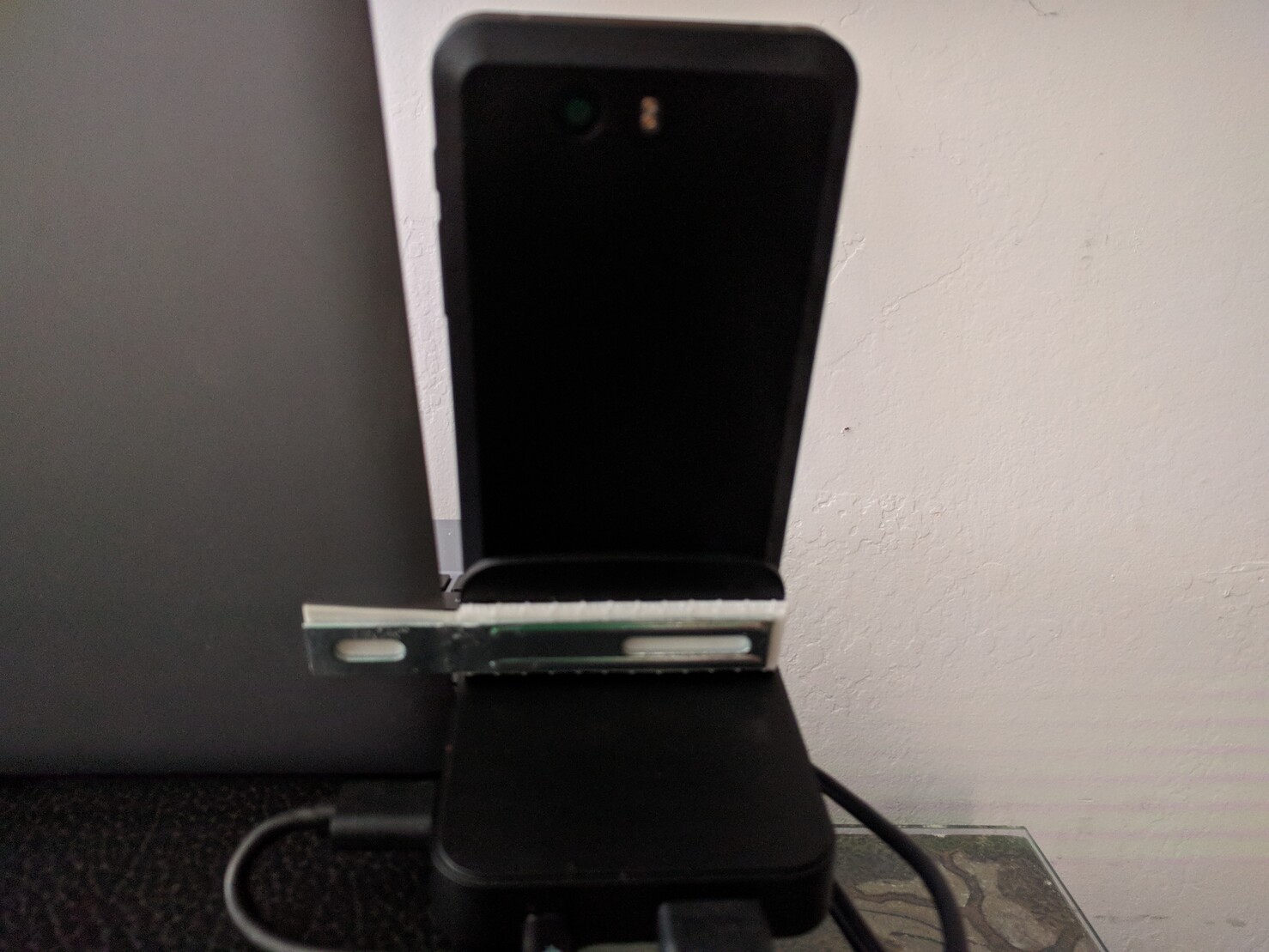
I attached a USB-C hub to my laptop dock using a flattened IKEA bracket and some 3M tape. Now I can easily use it and see both screens from my lap. A bit hacky but it works.
@okennedy not sure i understand. gnome-tweaks and Shell extensions are two different thinks AFAIK. There's no plan to make phosh/phoc compatible with GNOME Shell Extensions since they're very specific to the shell intrinsics.
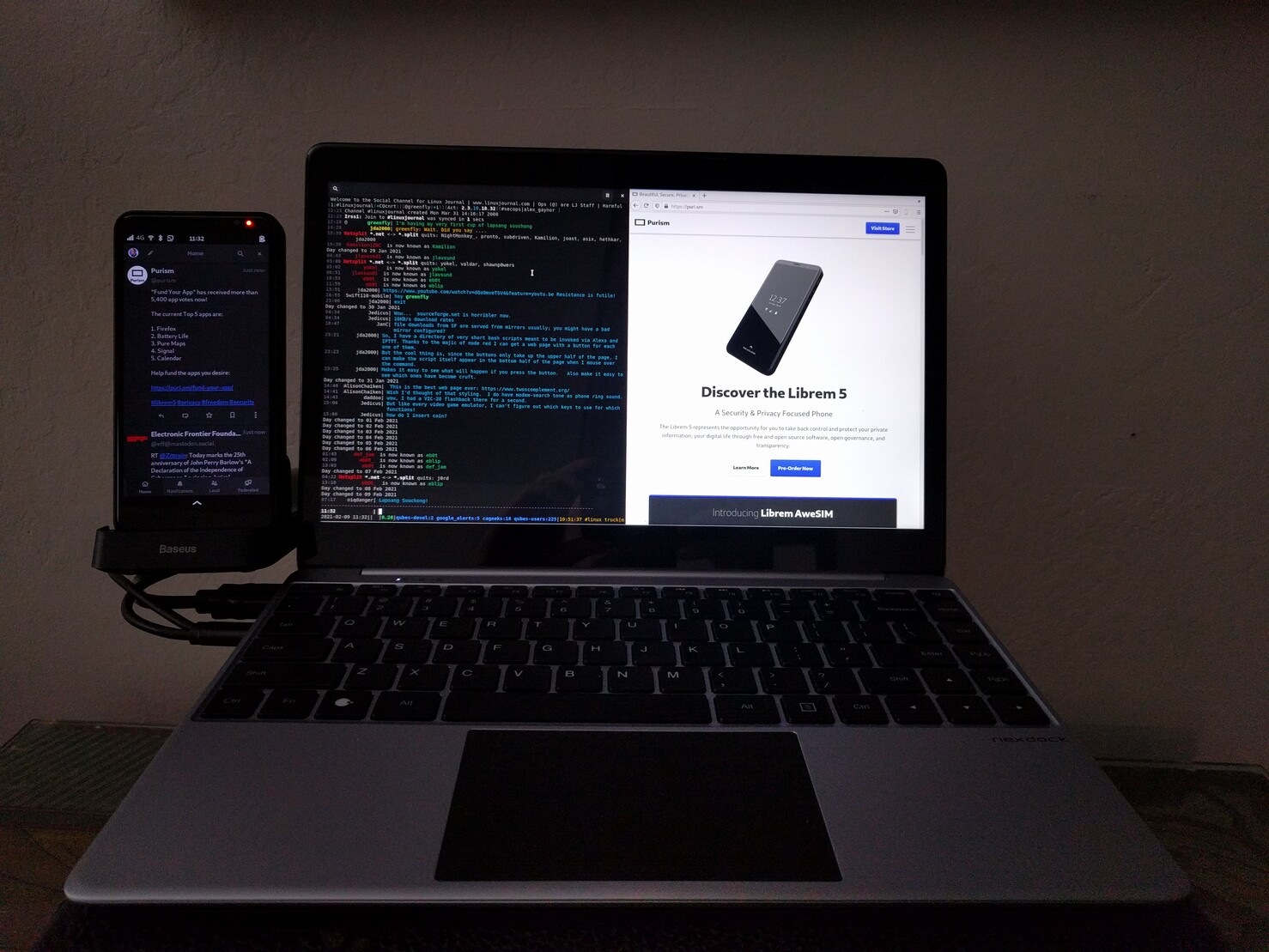
#librem5 docked day4:
- More 'boring' setup for daily work: #mumble, #flatpak
-- `gsettings set org.gnome.desktop.input-sources xkb-options "['compose:caps', 'lv3:ralt_switch']"`
- most remaining papercuts are in #phoc/#phosh around window placement and good defaults
So from now on I'll just update when something changes (for the good or bad)
@dukethereal you can basically forward everything to the #librem5 you'd forward to your laptop (#vnc, #rdp, ...)
#librem5 docked day3:
- nothing too exciting (mail prodding finish up elpa/#emacs config)
- noticed one issue where textures sometimes get corrupted after display power save. Doesn't look like https://source.puri.sm/Librem5/linux-next/-/merge_requests/233 or https://source.puri.sm/Librem5/linux-next/-/merge_requests/249 so needs investigation.
#librem5 docked day 2:
- Move #gpg config over so #nitrokey works on the dock (hello encryted email, package uploads, ...)
- Join #matrix via element until #chatty fully covers it
- Figure out #gssapi smtp in #mutt needs libsasl2-modules-gssapi-mit (so say goodby to the last on disk location that stored account passwords unencrypted)
- unbreak plymouth in #PureOS #Byzantium so it doesn't force meta packages off the system (https://source.puri.sm/pureos/core/plymouth/-/merge_requests/1)
- no crashes so far
@dylanvanassche yes, I added doing this via gnome-control-center in #phosh 0.8.0 - prior to that you had to resort to wlr-randr. There's rough edges still but it's useful when you don't have a doc and the #librem5 is flat on the table.
@twrightsman isn't #offlineimap just a transitional package to #offlineimap3 : https://packages.debian.org/bullseye/offlineimap
@twrightsman well, using #offlineimap3 it since yesterday but works well. I'm having some minor hickups with #GSSAPI still nothing a retrigger didn't fix so far.
#librem5 docked day 1 (continued):
- a notification LED is great, even for desktop use
- I need a better keyboard/pointing device combination (so far i just grabbed an old one lying around): usb, preferably integrated touch pad, preferably integrated usb-port, preferably us-layout. Recommendations welcome.
#librem5 docked day 1 (continued):
- Besides issues i expected due to using the development version of the distribution things worked well. I keep the primary display on the phone so all notifications go there and don't disturb me.
- Until imx8mq's DEC400 4k output landed in the kernel is a bit sluggish so adding that needs to become a priority
- @merge started updated the byzantium kernel so one thing less to care about, thanks!
#librem5 docked day 1 (continued):
- settle in: apt install bash-completion offlineimap firefox emacs mutt hamster-time-tracker git-buildpackage build-essential ccache tootle vim-gtk krb5-config mutt ...
- Bring over first set of dot files (via git)
- Notice that offlineimap's Kerberos is still broken, fix that https://github.com/OfflineIMAP/offlineimap3/pull/45
- First mail sync:
*** Finished account 'puri.sm' in 420:55
- First time on device bulk mail reading using mutt (keeping #geary for on the road mail)