
if you're on a recent #debian based system you can use `update-alternatives` to switch (will also make sure you have schemas compiled). #pureos will hopefully allow that soon too: https://source.puri.sm/Librem5/librem5-base/-/merge_requests/328 (will also allow to switch to virtboard). If not on Debian "ninja -C _build install" puts the desktop file into /usr/local so it gets picked by default. But beware: lots of things need some time to settle in (e.g. you need recent presage, gtk, ...) so make sure you can recover.
@dylanvanassche I don't think so, it's really a toy project of mine but I sure hope it will help #squeekboard. It builds a library that squeekboard could e.g. use to reuse the emoji widget: https://gitlab.gnome.org/World/Phosh/squeekboard/-/issues/248
Video is at 2 times speed.
MR is at https://gitlab.gnome.org/guidog/phosh-osk-stub/-/merge_requests/43
2️⃣ / 2️⃣
There can't be enough emojis 😎 :😃 😹 so I added a new widget (based on #gtk 's emoji chooser) to #phosh's osk-stub:
#librem5 #linuxmobile #mobilelinux
1️⃣ /2️⃣
Guido Günther
boosted

I've been trying to re-enable power management for the modem on the #librem5 running #postmarketOS, but was plagued by issues with the modem resetting immediately every time is suspended/resumed.
Once again, the product of hours of git bisecting and testing is a patch that's less than 1 word 😅
https://gitlab.freedesktop.org/mobile-broadband/ModemManager/-/merge_requests/932/diffs
@dos @mobian @postmarketOS @kop316 It's part of the l5-devscripts package shipped in #pureos. Nothing fancy but I''m using it on a regular basis.
@dos @mobian @postmarketOS @kop316 ...and there's l5-fetch-next to fetch a deb including all currently under review MRs: https://source.puri.sm/Librem5/librem5-dev-tools/-/blob/master/l5-fetch-next which features command completion, custom overrides, grabs the debug packages, etc.
@eliasr @gutenberg_org Added a model for #swedish
(based on August Strindberg: Inferno, also available from project gutenberg), a menu to toggle completion easily and switching the model based on locale: https://gitlab.gnome.org/guidog/phosh-osk-stub/-/merge_requests/39
(video is at 2x speed)
Guido Günther
boosted

@xtaran @arturo182 Looks awesome for #linuxmobile.
Guido Günther
boosted
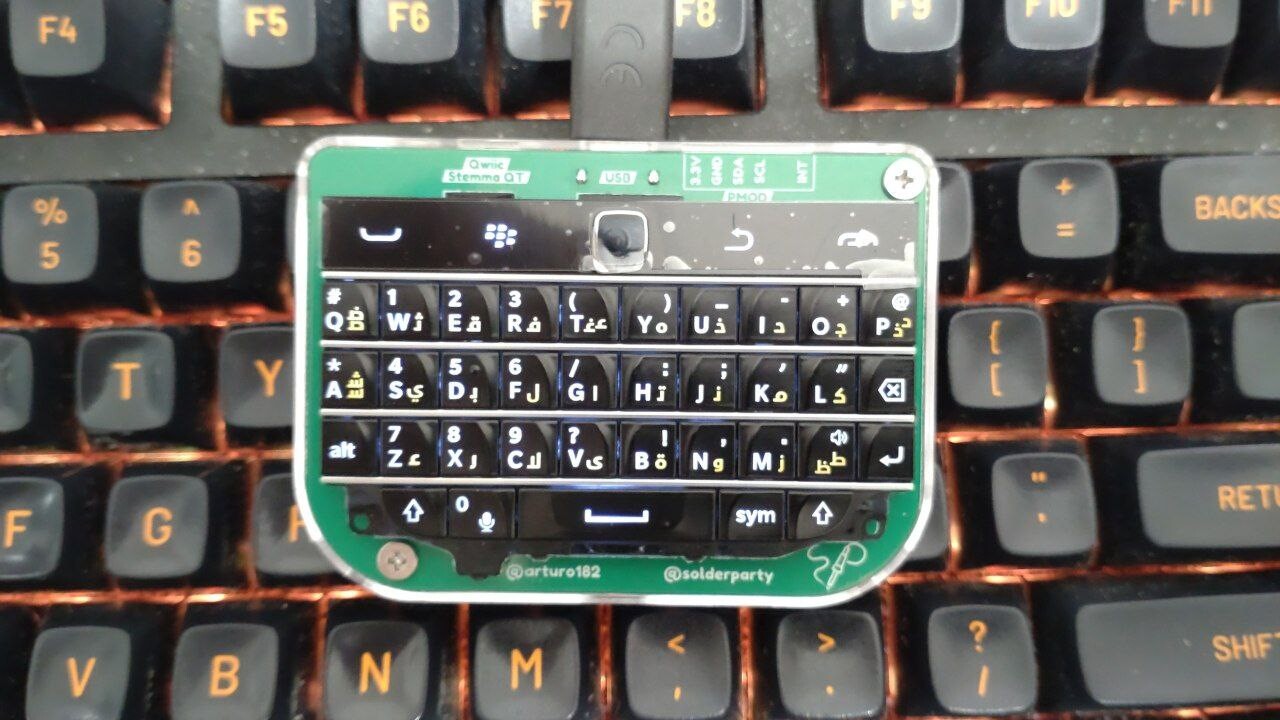
This tiny Blackberry Q20 #keyboard isn't a mechanical keyboard, but mounted on an #OpenHardware PCB by @arturo182 and #Solderparty (https://www.solder.party/) which makes it a generic USB-C keyboard (and mouse). So cuuuuute! 🥰 😍
Available ready to use at e.g. https://www.tindie.com/products/arturo182/bb-q20-keyboard-with-trackpad-usbi2cpmod/ or https://www.lectronz.com/products/bb-q20-keyboard-with-trackpad-usb-i2c-pmod or https://shop.pimoroni.com/products/bbq20-keyboard-with-trackpad-usb-i2c-pmod (Not affiliated and I don't get any money. Just a happy #Pimoroni customer. 😇)
Background: Rama Works U80-A keyboard with MT3 Skiidata keycaps for comparison.
@me #syncthing is packaged for most distributions and works on the #librem5 although it's not really adaptive yet (https://source.puri.sm/Librem5/Apps_Issues/-/issues/237)
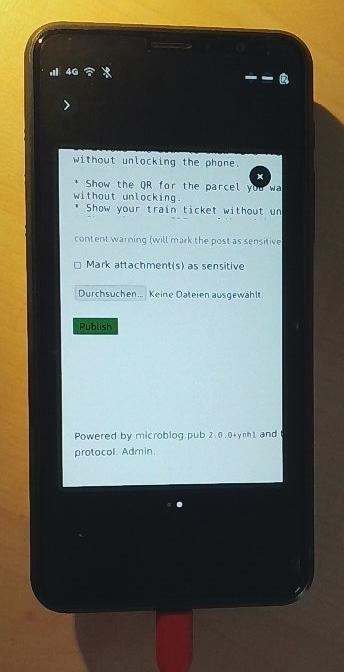
@me As I often process email on the laptop I have syncthink (https://syncthing.net/) set up to sync ~/phosh-ticket-box from laptop to #librem5 and back. That way I have train tickets, etc always at hand.
Guido Günther
boosted

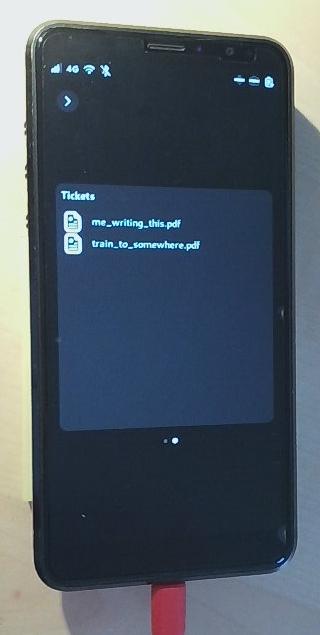
There's just been an update for my #Librem5. The new #phosh version offers an experimental plugin called phosh-ticket-box.
It allows the user to show PDFs from the lockscreen without unlocking the phone.
Show the QR for the parcel you want to send without unlocking.
Show your train ticket without unlocking
Show whatever PDF you like without unlocking.
It can be enabled in phosh-mobile-settings in the Lockscreen menu.
gsettings get sm.puri.phosh.plugins.ticket-box folder shows the path inside the home directory the plugin looks for PDFs in. The default is /home/purism/phosh-ticket-box.
Make the directory, put a PDF inside, enable the plugin and lock the phone. Enable the screen, swipe from the left border of the screen towards the right, select by swiping left and right the Tickets pane (if you have enabled more then one plugin) and click on the PDF to show.
Resizing and scrolling works with the known gestures.
Thanks @agx@librem.one !
@martijnbraam I use it on a spare phone but my other phone runs #linuxmobile as well
Guido Günther
boosted

I noticed this is working now, it works to stop the alarm without unlocking. Thanks! 👍
It will be much appreciated by certain of my family members who have been complaining that it always took so long for me to turn off the alarm in the morning. 😄